Claude Code Remote Control: Setup, Limits and Fixes (2026)
Claude Code Remote Control lets you keep working in a Claude Code session from your phone, tablet or any browser. Claude keeps running on your Mac, and you steer it from the Claude app or claude.ai/code.
It is one of the best things Anthropic has shipped for Claude Code. Here is how to set it up, what it can't do, and how to fix the errors people hit most.
How to start Claude Code Remote Control
There are three ways to turn it on. Pick the one that fits how you work.
1. Server mode
claude remote-controlRun this inside your project folder. It waits for connections and prints a session URL. Press the spacebar to show a QR code. Add --spawn worktree to give each new session its own git worktree, and --capacity to limit how many sessions run at once.
2. A normal session you can also drive remotely
claude --remote-control "My Project"You get a regular Claude Code session in your terminal. You can type on your Mac and on your phone. The short version is --rc.
3. From a session that is already running
/remote-controlType /remote-control or /rc at the Claude Code prompt. This also works in the Claude Desktop app and the VS Code extension.
Want every session to connect on its own? Run /config and turn on Remote Control for all sessions.
Connect from your iPhone or Android phone
- Scan the QR code to open the session in the Claude app.
- Or open the Claude app, tap Code, and pick your session from the list.
- Or open the session URL in any browser on any computer.
Don't have the Claude app yet? Run /mobile inside Claude Code. It shows a QR code that opens the right app store for your phone.
Get a ping when Claude needs you
Run /config and turn on Push when actions required. Your phone gets a notification when Claude waits for a permission or asks you a question. This is the setting that makes Remote Control feel useful when you walk away.
Requirements
- A Claude Pro, Max, Team or Enterprise plan.
- Signed in through claude.ai with
/login. API keys don't work. - On Team and Enterprise, an Owner has to turn on Remote Control in the Claude Code admin settings first.
- Your computer stays on and the
claudeprocess keeps running.
Is it safe?
Your Mac only makes outbound HTTPS requests. It never opens an inbound port. Your code and files stay on your machine, and the phone only sends messages to the session. Pro and Max users can also turn on Trusted Devices, so only verified devices can steer a session.
What Claude Code Remote Control can't do
Remote Control is built for one job: your Claude Code conversation. For anything outside that conversation, you need a terminal. Here is how it compares with Macky, which puts your whole Mac on your phone.
| Claude Remote Control | Macky | |
|---|---|---|
| Chat with Claude Code | Yes | Yes, with a Claude Code mode |
| Run git, npm or docker yourself | Only by asking Claude | Yes, full zsh or bash |
| Codex and other agents | No | Yes, with a Codex mode |
| SSH into your servers | No | Yes, with your Mac's keys |
| See and control the Mac screen | No | Yes |
| Works with API keys or Bedrock | No | Yes, it is your own terminal |
| Price | Included with your Claude plan | Free, Pro $29 one time |
One more thing to know. If your MacBook goes to sleep, the session pauses. It reconnects when the Mac wakes up. Closing the lid usually puts a MacBook to sleep, so keep it awake with caffeinate during long tasks.
Common errors and how to fix them
"Remote Control requires a claude.ai subscription"
You are signed out, or signed in with an account that has no eligible plan. Run /login and sign in with your claude.ai account.
"ANTHROPIC_API_KEY is set, so this session is using API-key auth"
An API key wins over your claude.ai login. Run unset ANTHROPIC_API_KEY, remove it from your shell profile, and start Claude Code again.
"Remote Control is only available when using Claude via api.anthropic.com"
Your session goes through Amazon Bedrock, Google Cloud or Microsoft Foundry, or ANTHROPIC_BASE_URL points at another host. Unset that variable. If your company requires that provider, Remote Control won't work there.
"Remote Control isn't enabled for this account"
This usually happens after a plan change. Run claude auth logout and then claude auth login to refresh your account.
"The session went offline"
The claude process stopped. Within about four hours, claude remote-control --continue brings the session back.
Still stuck? We cover disconnects and sleep problems in Claude Code Remote Control not working.
When you need more than Claude
You can use Remote Control and Macky together. Remote Control is great for the Claude conversation. Macky gives you the rest of your Mac.
Macky opens your Mac's real terminal and its full screen on your iPhone or iPad. Claude Code and Codex each have their own mode. The key bar has Esc, Tab and Ctrl, plus quick keys for y and Enter when an agent asks for approval.
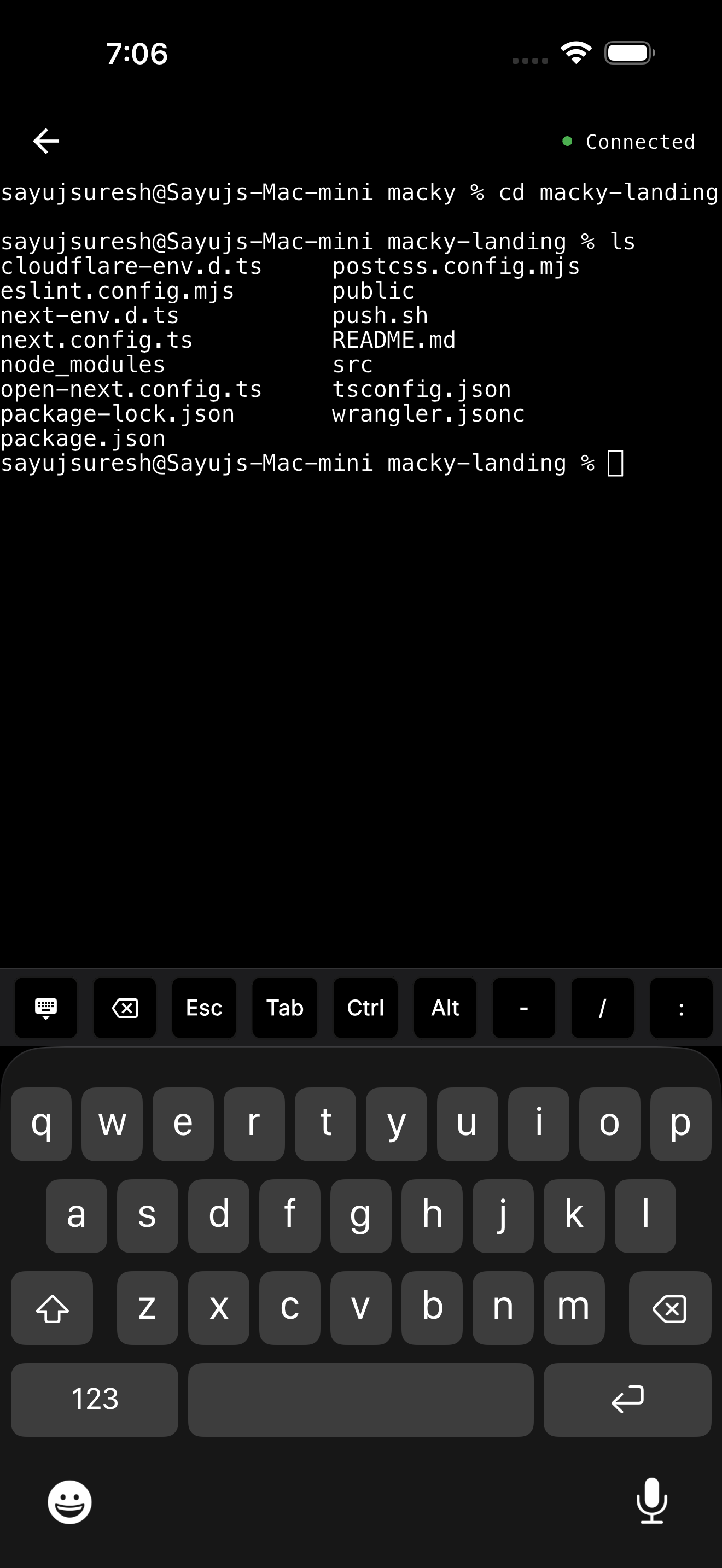
- Your servers come with it. Type
ssh my-vpsand you're in. It uses the keys and config already on your Mac, so nothing gets copied to your phone. - Lid closed. With Pro, your MacBook can sit closed on the desk and you can still use it.
- Background connect. With Pro, the session stays connected while your phone is locked.
- Safe by default. No ports to open. The connection is end-to-end encrypted. Every new device has to be approved on your Mac, and a master password protects the terminal.
Macky is free to try with 5 minute sessions. Pro is a one-time $29. Get it on the App Store.
Which should you use?
- Only Claude Code, on a Pro or Max plan: Remote Control is perfect. Turn on push notifications.
- Claude Code with an API key or Bedrock: Remote Control won't run. Use Macky to reach the terminal where Claude runs.
- Claude plus git, Docker, Codex or your servers: Macky, alongside Remote Control if you like.
- You need to see your Mac screen: Macky.
For a side by side look, read Macky vs Claude Code Remote Control. For every way to use Claude Code on a phone, see Claude Code on iPhone.
FAQ
What is Claude Code Remote Control?
A feature that lets you continue a Claude Code session running on your computer from the Claude app or claude.ai/code. The code keeps running on your machine.
How do I start Claude Code Remote Control?
Run claude remote-control in your project, start a session with claude --remote-control, or type /rc inside a session that is already running.
Is Claude Code Remote Control free?
It is included with Claude Pro, Max, Team and Enterprise plans. It does not work with API keys.
Does Remote Control work when my Mac is asleep?
No. The session pauses and reconnects when your Mac wakes up.
Can I use Remote Control with Bedrock or an API key?
No. It needs a claude.ai login and the Anthropic API. You can still run Claude Code from your phone through a terminal app like Macky.
Can I run other commands besides Claude?
Not through Remote Control. For git, Docker, Codex or SSH, use a full terminal like Macky.
Related Guides & Comparisons
Try Macky
Connect to your Mac terminal from your iPhone.