Chrome Remote Desktop on Mac: Setup, Limits and Alternatives (2026)
Yes. Chrome Remote Desktop works on a Mac, and it is free. You need a Google account, and setup takes about five minutes.
This guide covers the setup, the two macOS permissions it needs, how to fix the usual problems, and the best alternatives if you want more from your Mac.
How to set up Chrome Remote Desktop on a Mac
- On the Mac, open Chrome and go to
remotedesktop.google.com/access. Sign in with your Google account. - Under Set up remote access, click Download. Add the extension if Chrome asks.
- Click Accept & Install. Open the downloaded file and run the installer. Enter your Mac password when asked.
- Give your Mac a name. Pick a PIN with at least 6 digits and click Start.
- Open System Settings > Privacy & Security. Turn on ChromeRemoteDesktopHost under Accessibility and under Screen Recording.
- Quit Chrome fully and open it again. Your Mac now shows as online.
Skip step 5 and you get a black screen or a Mac you can see but can't click. Most problems come from these two permissions.
Connect from another computer or your iPhone
From a computer, open remotedesktop.google.com/access in Chrome. Pick your Mac and enter the PIN.
From an iPhone or iPad, install the Chrome Remote Desktop app. Sign in with the same Google account, tap your Mac and enter the PIN. You can switch between trackpad mode, which shows a pointer, and touch mode, where a tap is a click.
Remote support: help someone once
To help a friend, they open remotedesktop.google.com/support and generate a code. You enter that code on your side. Each code works one time.
The person sharing their screen has to approve the session. Google also asks them to confirm every 30 minutes that they still want to share. Only share with people you trust, since they get full access to the computer.
Fix common Chrome Remote Desktop problems on Mac
Black screen
Screen Recording is off. Turn on ChromeRemoteDesktopHost in System Settings > Privacy & Security > Screen Recording. Restart Chrome, then restart the Mac if it still shows black.
You can see the screen but can't click or type
Accessibility is off. Turn on ChromeRemoteDesktopHost under Privacy & Security > Accessibility, then restart the Mac.
The Mac shows as offline
The Mac is asleep, turned off or offline. Wake it up, check the network and restart Chrome. For long sessions, keep it awake with caffeinate.
It stopped working after a macOS update
Recent versions of macOS can ask again for screen recording access. Check both permissions again after an update or a restart.
Where Chrome Remote Desktop falls short on a Mac
- Screen only. It mirrors the desktop. There is no terminal mode, so running a command means opening Terminal and typing on a tiny remote window.
- Small screens are hard. A full Mac desktop on a 6 inch phone means lots of zooming and dragging.
- Google account required. Both sides sign in with Google, and the Mac needs the Chrome Remote Desktop host installed.
- Permissions break. When macOS resets screen recording access, the connection fails until you fix it on the Mac itself.
- No developer tools. Nothing helps with SSH, coding agents or long running jobs.
For a quick look at your Mac from another computer, none of this matters much. It matters if you use your phone a lot or want to work in the terminal.
Chrome Remote Desktop alternatives for Mac
| App | Price | iPhone app | Terminal mode | Claude Code / Codex mode | Away from home |
|---|---|---|---|---|---|
| Chrome Remote Desktop | Free | Yes | No | No | Yes |
| Apple Screen Sharing | Free, built in | No | No | No | Needs VPN or extra setup |
| Jump Desktop | Paid | Yes | No | No | Yes |
| Screens 5 | Paid | Yes | No | No | Yes |
| RustDesk | Free, open source | Yes | No | No | Yes |
| Macky | Free, Pro $29 once | Yes, iPhone and iPad | Yes | Yes | Yes, no setup |
Apple Screen Sharing
Built into every Mac and free. It works great between two Macs on the same network. From outside your home you need a VPN or extra setup, and there is no official iPhone app.
Jump Desktop
A polished paid app with fast streaming and good iPhone and iPad apps. It is a screen tool, so terminal work still happens inside a remote window.
Screens 5
A well designed VNC app for Apple devices. It is paid, and like the others it shows you the screen with no command line mode.
RustDesk
Free and open source, and you can host your own relay server. Setup on a Mac takes more care with permissions. See our RustDesk review.
For a longer list, read the best remote desktop apps for Mac or our guide to Mac to Mac remote desktop.
Macky: your Mac's screen and terminal on your iPhone
Macky is built for one job. You open your Mac from your iPhone or iPad. You get the full desktop when you need it and the Mac's own terminal when you don't.
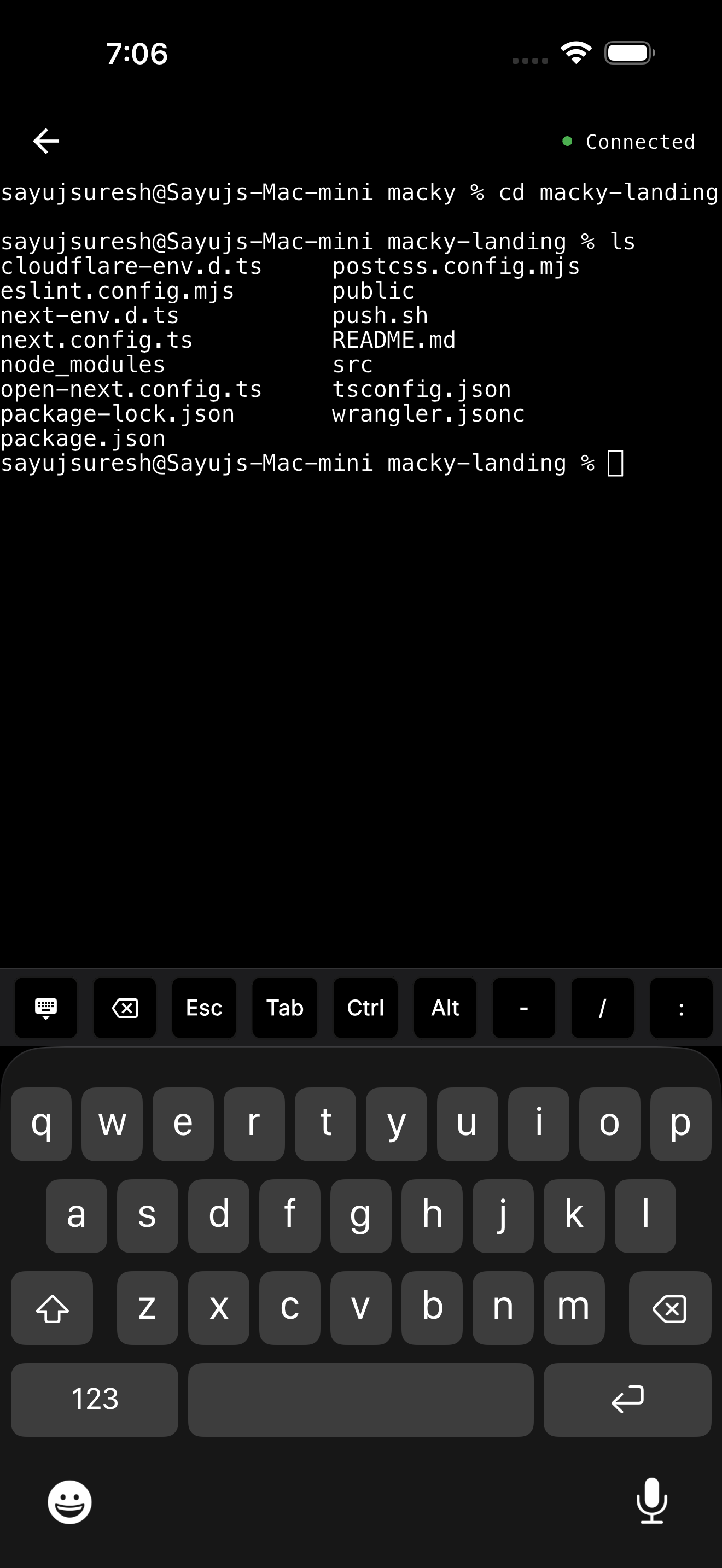
- Terminal mode. Your real zsh or bash with all your tools. Type
ssh my-vpsand it uses the keys already on your Mac. - Claude Code and Codex modes. Watch an agent work and approve the next step with y and Enter on the key bar. Esc, Tab and Ctrl are there too.
- No setup outside your home. No ports to open and no VPN. The connection goes straight between your devices and is end-to-end encrypted. It works on 5G.
- Locked down. Each new device has to be approved on your Mac, and a master password protects the terminal.
- Lid closed. With Pro you can use your MacBook while it sits closed on the desk.
Macky works from iPhone and iPad only. If you need to reach your Mac from Windows or Android, Chrome Remote Desktop is still a good free pick.
Macky is free to try with 5 minute sessions. Pro is a one-time $29. Get it on the App Store.
Which one should you use?
- Free access from any computer: Chrome Remote Desktop.
- Two Macs on the same network: Apple Screen Sharing.
- The smoothest screen streaming: Jump Desktop.
- Your Mac from your iPhone, with a real terminal and AI agents: Macky.
Mostly want to see your Mac on your phone? Read how to view your Mac screen on iPhone.
FAQ
Is Chrome Remote Desktop free on Mac?
Yes. Chrome Remote Desktop is free. You only need a Google account.
Why is Chrome Remote Desktop showing a black screen on my Mac?
Screen Recording is usually turned off. Turn on ChromeRemoteDesktopHost in System Settings > Privacy & Security > Screen Recording, then restart Chrome.
Can I control my Mac from my iPhone with Chrome Remote Desktop?
Yes. Install the Chrome Remote Desktop app, sign in with the same Google account and enter your PIN.
Does Chrome Remote Desktop work when my Mac is asleep?
No. A sleeping Mac shows as offline. Keep it awake during long sessions.
Does Chrome Remote Desktop have a terminal mode?
No. It mirrors the screen, so you open Terminal inside the remote window. Macky has a dedicated terminal mode for iPhone and iPad.
How do I uninstall Chrome Remote Desktop on a Mac?
Open the Chrome Remote Desktop Host Uninstaller app and click Uninstall.
Related Guides & Comparisons
Try Macky
Connect to your Mac terminal from your iPhone.