Mac mini Home Server: Setup Guide and What to Run (2026)
A Mac mini makes a great home server. It is small and silent. It uses very little power and runs Unix tools out of the box.
This guide covers the settings that keep it running, what you can host on it, and how to reach it when you are away from home.
Why a Mac mini works so well as a server
- Low power: ENERGY STAR lists the M4 Mac mini at about 2.4 to 3.3 watts at idle, depending on memory. Leaving it on all year costs very little.
- Quiet: Home server work is mostly light load. The Mac mini stays quiet enough to sit on a shelf in the living room.
- Apple Silicon: The chip handles media, containers and local AI models with ease.
- macOS and Unix in one box: You get a real shell and Homebrew, plus Apple features like File Sharing and Time Machine.
- Small: It fits next to your router.
Setup checklist
1. Power settings
Open System Settings > Energy. Turn on these options if your Mac shows them:
- Prevent automatic sleeping when the display is off
- Wake for network access
- Start up automatically after a power failure
The last one matters most. After a power cut, the Mac turns itself back on.
2. Decide on auto login and FileVault
After a restart, the Mac waits at the login screen. Apps that need a signed in user stay off until someone logs in.
Automatic login fixes that. macOS turns it off when FileVault is on, and with FileVault a restarted Mac also waits for your password before it starts. So pick what matters more for this machine: disk encryption or coming back on its own.
3. Wired network and a fixed address
Use Ethernet if you can. It is faster and steadier than Wi-Fi for streaming and backups.
Then give the Mac a fixed IP address. The easiest way is a DHCP reservation in your router settings. The address never changes, so bookmarks and SSH configs keep working.
4. Remote Login and Screen Sharing
Turn on Remote Login in System Settings > General > Sharing so you can SSH in. Turn on Screen Sharing in the same place to see the desktop from another Mac. Step by step: how to SSH into a Mac.
5. Keep it awake
The Energy settings handle most of this. For long jobs, the built-in caffeinate command adds a safety net. Every flag is in our caffeinate guide.
caffeinate command builder
Pick what to keep awake and for how long. Then copy the command.
Running it without a monitor
You do not need a screen. Set everything up with one first, then unplug it.
Some apps act strange with no display attached, and Screen Sharing may fall back to a low resolution. A cheap HDMI dummy plug makes the Mac think a monitor is connected. Our headless Mac mini guide covers the details.
What to run on your Mac mini home server
| What | Apps | Notes |
|---|---|---|
| Media server | Plex, Jellyfin | Both have macOS versions. Stream your library to the TV and phone. |
| File shares | File Sharing (built in) | Share folders over SMB with every device at home. |
| Time Machine backups | File Sharing (built in) | Set a shared folder as a Time Machine destination for your other Macs. |
| Containers | OrbStack, Docker Desktop, Colima | Run Pi-hole, databases or your own apps. |
| Home automation | Home Assistant | Run Home Assistant OS in a virtual machine app like UTM. |
| Local AI | Ollama | Run open models on Apple Silicon and call them from other devices. |
| Dev box | Git, Node, Python, Claude Code | An always on machine for builds and AI agents. |
Want local AI? See how to run Ollama on a Mac from your iPhone.
Back up the server too. An external drive with Time Machine is the simple option.
Reach your server from anywhere
At home you can use the Mac's local address. Away from home you have three options.
- Port forwarding: Open a port on your router and point it at the Mac. It works, but it exposes the Mac to the internet. Many connections sit behind carrier grade NAT, which blocks it completely.
- A VPN like Tailscale: Install it on the Mac and on your phone. Your devices join a private network. It is a solid choice for web dashboards and file shares.
- Macky: Open the Mac's own terminal and desktop from your iPhone or iPad. No ports and no VPN setup.
Comparing the last two? Read Tailscale vs Macky.
Manage your Mac mini from your iPhone
Most days a home server only needs a quick look. Is the container up? Did the backup run? Is the disk full? Macky puts the Mac mini's terminal and screen on your iPhone.
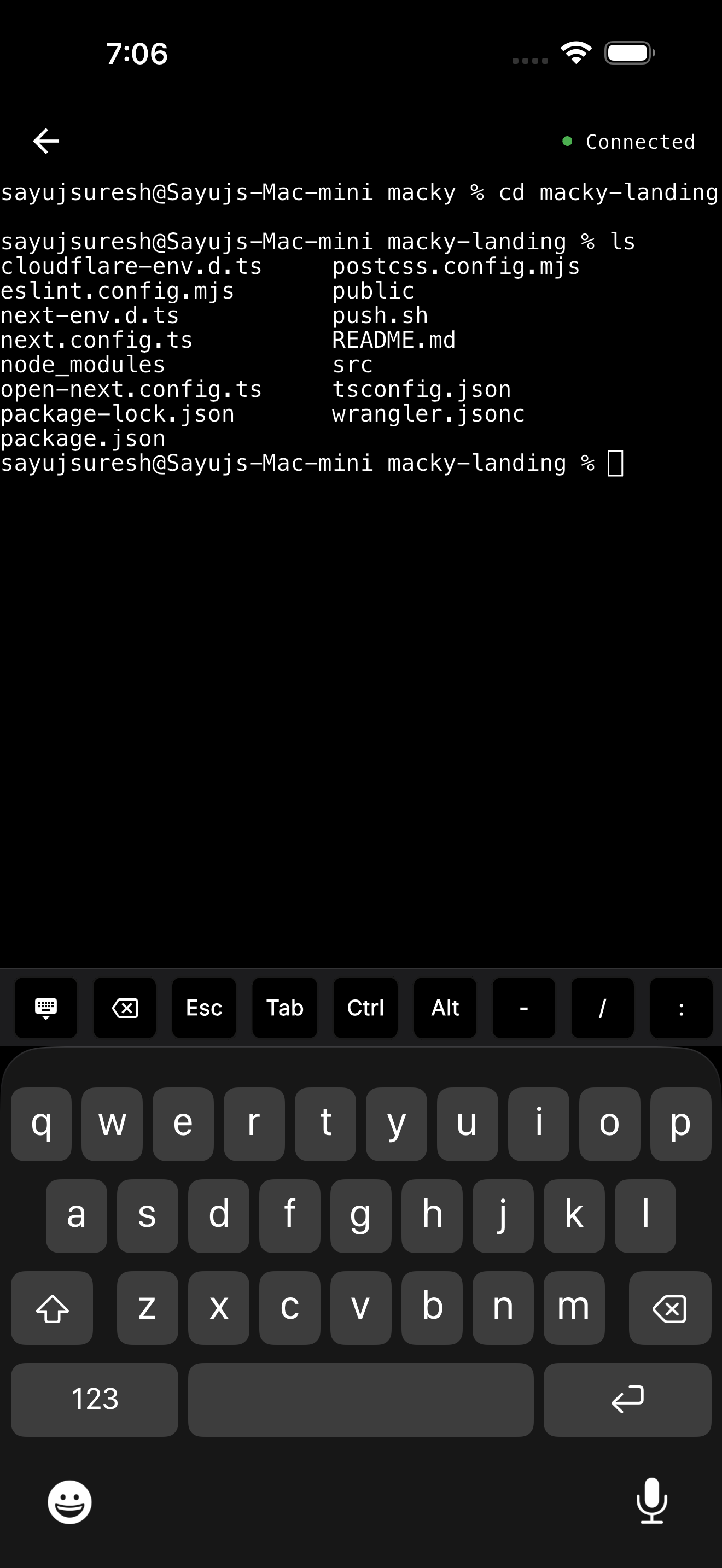
- A real terminal: Run
docker ps, read logs or restart a service. The key bar has Esc, Tab and Ctrl. - The full desktop: Switch to the screen when you need a Mac app.
- No open ports: The connection goes straight between your devices and is end-to-end encrypted.
- Your keys stay home: Type
ssh my-vpsin Macky and it uses the keys already on the Mac. - Locked down: Every new device needs approval on the Mac. A master password protects the terminal.
- AI agents: Dedicated Claude Code and Codex modes for agents running on the server.
Macky is free with 5 minute sessions. Pro is a one-time $29 and adds background connect. Get it on the App Store.
More ideas in how to monitor your Mac home server from iPhone.
FAQ
Is a Mac mini good for a home server?
Yes. It is quiet, uses little power, and runs Unix tools plus Apple services like File Sharing and Time Machine.
How much power does a Mac mini use as a server?
ENERGY STAR lists the M4 Mac mini at about 2.4 to 3.3 watts at idle, depending on configuration. It uses more under load.
Can a Mac mini run without a monitor?
Yes. Set it up with a screen first. A cheap HDMI dummy plug helps apps and Screen Sharing that expect a display.
Will my Mac mini restart after a power cut?
Turn on Start up automatically after a power failure in the Energy settings. With FileVault on, it waits for your password before it fully starts.
Can I run Docker on a Mac mini?
Yes. OrbStack, Docker Desktop and Colima all run containers on Apple Silicon.
How do I access my Mac mini home server remotely?
Use a VPN like Tailscale, forward a port on your router, or use Macky to open its terminal and screen from your iPhone without opening ports.
Related Guides & Comparisons
Try Macky
Connect to your Mac terminal from your iPhone.