Terminal on iPhone: Does iOS Have One? 6 Ways That Work (2026)
No. The iPhone does not come with a Terminal app, and iOS does not let apps open a real shell on the phone itself.
You still have good options. Some run a small shell on the phone. Some connect to a computer somewhere else. If you own a Mac, the best terminal for your iPhone is probably already on your desk.
| App | Runs on | Your real tools | Home Mac over 5G | Setup | Price |
|---|---|---|---|---|---|
| iSH | iPhone | No | No | None | Free |
| a-Shell | iPhone | No | No | None | Free |
| Termius | Remote server | On the server | Needs VPN or open port | Keys and hosts | Free, sync is paid |
| Blink Shell | Remote server | On the server | Needs VPN or open port | Keys and hosts | Subscription |
| Shortcuts | Remote server | One command at a time | Needs VPN or open port | Per shortcut | Free |
| Macky | Your Mac | Yes, all of them | Yes | 2 minutes | Free, Pro $29 once |
1. iSH: a small Linux on your phone
iSH runs Alpine Linux inside an app. You get bash, vim, apk and the usual commands. It is free and works offline.
It is also slow. iOS blocks the tricks that make emulators fast, so even small scripts take a while. It can't run Docker and can't reach your real projects. It's a great way to learn the command line.
2. a-Shell: Unix commands built for iOS
a-Shell gives you common Unix commands plus Python and a few other languages. It runs natively, so it feels quicker than iSH. It is free too.
Everything stays inside the app. Your repos, your SSH keys and your dev setup live on your computer, and a-Shell can't see them.
3. Termius: a polished SSH client
Termius connects to servers over SSH. It looks great and works well with cloud servers that already accept SSH.
You log in with a password or put your private key on the phone. Syncing hosts and keys across devices goes through their cloud on a paid plan. Reaching a Mac at home takes more work. You need Remote Login turned on, plus port forwarding or a VPN. We wrote about that in how to SSH into your Mac from iPhone.
4. Blink Shell: for heavy terminal users
Blink is a paid SSH and Mosh client. People who live in the terminal love it. Mosh keeps your session alive on a shaky train connection.
It has the same catch as Termius. You need a server ready to accept connections, and your keys need to be on the iPhone.
5. Shortcuts: Apple's hidden option
The Shortcuts app on your iPhone has an action called Run Script Over SSH. You give it a host, a user and a command. It runs that command on the other machine and shows you the result.
It is free and already on your phone. It works for quick jobs like restarting a service. There is no live session, so you can't scroll through output or work inside a project.
6. Macky: your Mac's own terminal on your iPhone
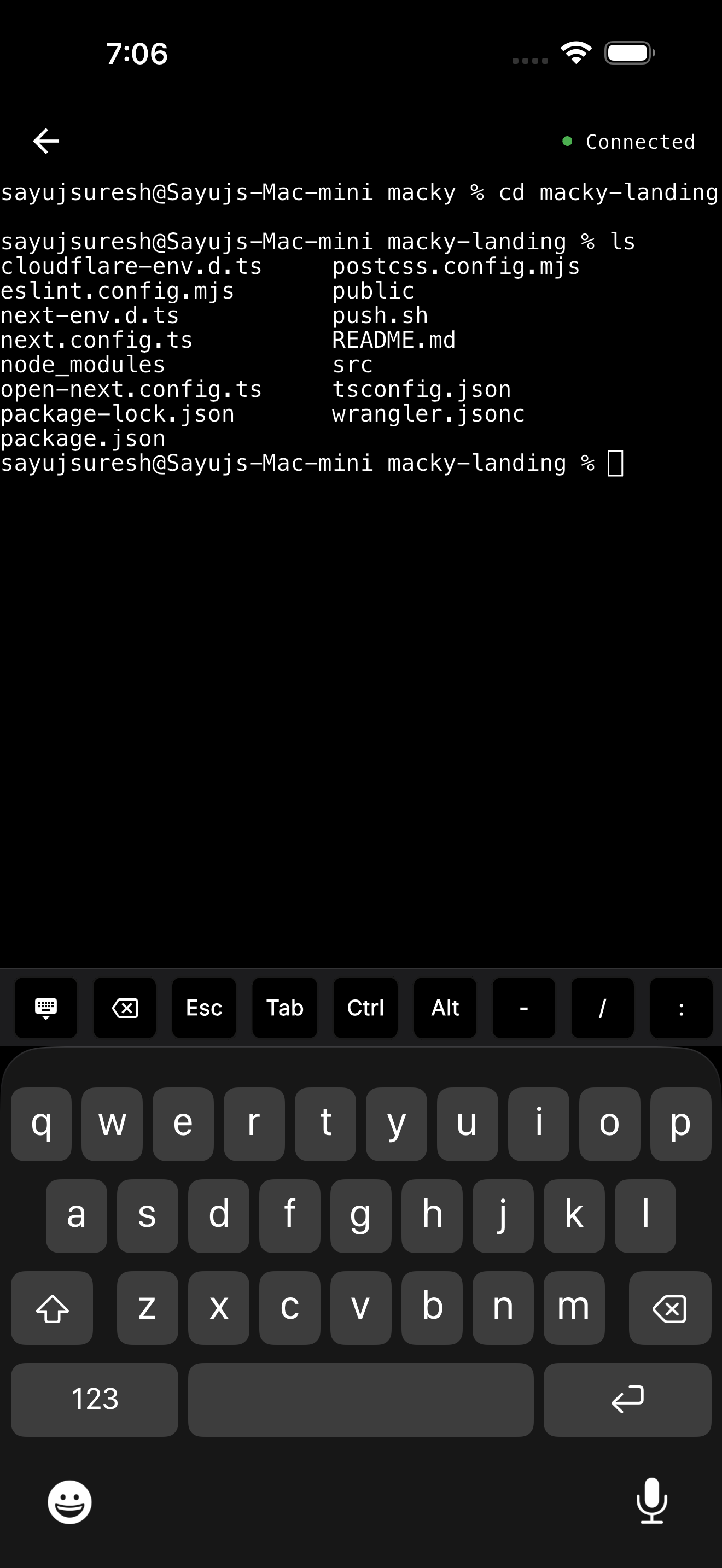
Your Mac already has everything set up. Your repos, Homebrew, Node, Python, Docker and SSH keys are all there. Macky lets you use that terminal from your iPhone.
Install Macky on your Mac and your iPhone, sign in on both, and connect. You don't set up SSH or open any ports. The connection goes straight between your devices and is end-to-end encrypted. It works on home Wi-Fi, office networks and 5G.
Your servers come with it
The terminal runs on your Mac, so every server you reach from your Mac works from your phone too. Type ssh my-vps and you're in. It uses the config and keys already on your Mac. Nothing gets copied to your phone.
Your keys stay home
- Your private keys never leave your Mac.
- Your Mac keeps port 22 closed.
- Every new device has to be approved on your Mac.
- A master password protects the terminal, even if someone gets into your account.
Made for how you work now
- Lid closed: With Pro, your MacBook can sit closed on the desk and you can still use it.
- AI agents: Run Claude Code or Codex on your Mac and approve the next step from your phone. The key bar has Esc, Tab and Ctrl ready.
- Full screen when you need it: Switch to remote desktop in the same app.
Macky is free to try with 5 minute sessions. Pro is a one-time $29. Get it on the App Store.
How to open a terminal on iPhone
The quickest free way:
- Install iSH from the App Store.
- Open it. You're at a Linux prompt.
- Type
apk addand a package name to install tools.
To use your Mac's terminal instead:
- Install Macky on your Mac and your iPhone.
- Sign in with the same account on both.
- Tap your Mac to connect.
The full walkthrough is in how to control your Mac terminal from iPhone.
Which one should you use?
- Learning the command line: iSH or a-Shell.
- Running one quick command on a server: Shortcuts.
- Managing cloud servers all day: Termius or Blink.
- You have a Mac: Macky. Your setup, your servers and your AI tools are all in one place.
Using an iPad? See the best iPad terminal apps. Looking for SSH apps only? See the best iOS SSH clients.
FAQ
Does iPhone have a terminal?
No. iOS does not come with a Terminal app. You can add one with apps like iSH, a-Shell, Termius or Macky.
Can I use a terminal on iPhone without a jailbreak?
Yes. Every option in this guide is a normal App Store app or a built-in Shortcuts action.
Can I run Linux on my iPhone?
Kind of. iSH runs Alpine Linux inside an app. It is fine for learning but too slow for real work.
Is there a free terminal app for iPhone?
Yes. iSH and a-Shell are free. Macky is free with 5 minute sessions.
Can I use my Mac's Terminal from my iPhone?
Yes. Macky connects your iPhone to your Mac and opens your Mac's own shell. You don't need to set up SSH.
Can I SSH into my server from iPhone without putting my keys on the phone?
Yes. Connect to your Mac with Macky and run ssh from there. Your keys and config stay on your Mac.
Related Guides & Comparisons
Try Macky
Connect to your Mac terminal from your iPhone.